Text to speech
Text to speech is optional. The visual call prompt is always the primary signal; speech is an additional cue for practice or for callers who want to hear the wording.
Desktop and Android builds use a local Kokoro-82M neural voice. The selected voice is a small style file downloaded once and cached; the model itself runs locally, with no account or cloud service. Windows, Linux, and Android use the neural voice when it is ready. Web uses the browser's installed voices. If the neural voice cannot start, desktop and Android fall back to the platform voice.
On Android the ONNX Runtime that runs the model is packaged inside the APK. The first time you enable Speak calls, the app downloads the 92 MB model and the selected voice file; use Wi-Fi if mobile data is limited. The files stay in the app cache and later runs are offline.
Enable spoken calls
In the session controls, select Speak calls. The same checkbox is available in Preferences → Calling.
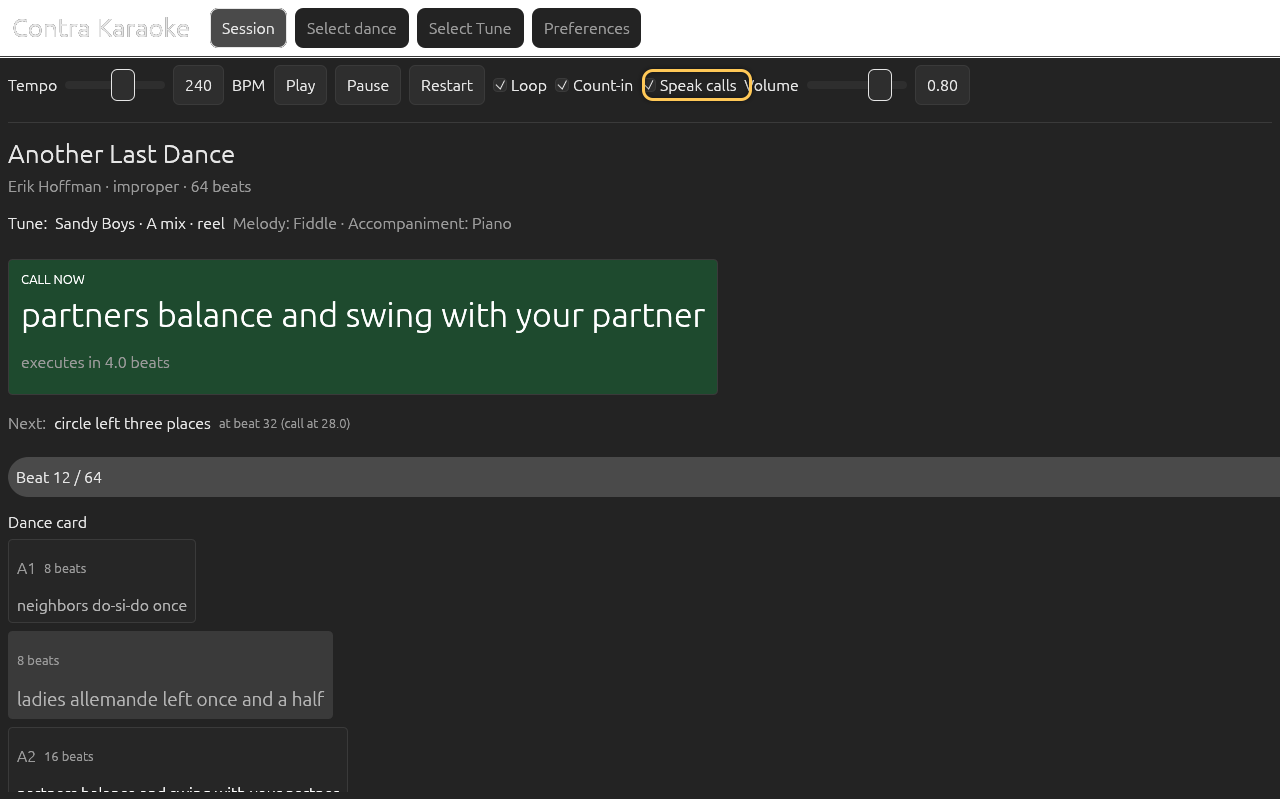
Spoken calls accompany the visual prompt; the visual prompt is never hidden.
When a call becomes active and the music is playing, the app speaks the rendered alias once. It does not queue stale calls: pausing stops speech, and restarting or rebuilding the timeline clears the last-spoken state. Pause before restarting if a long call is still being spoken.
Choose a voice
Open Preferences → Calling. On desktop and Android, choose Voice from Heart, Bella, Sarah, Michael, Fenrir, or Onyx. The description below the menu summarises the selected voice. Web shows the selector disabled because it uses the platform voice.
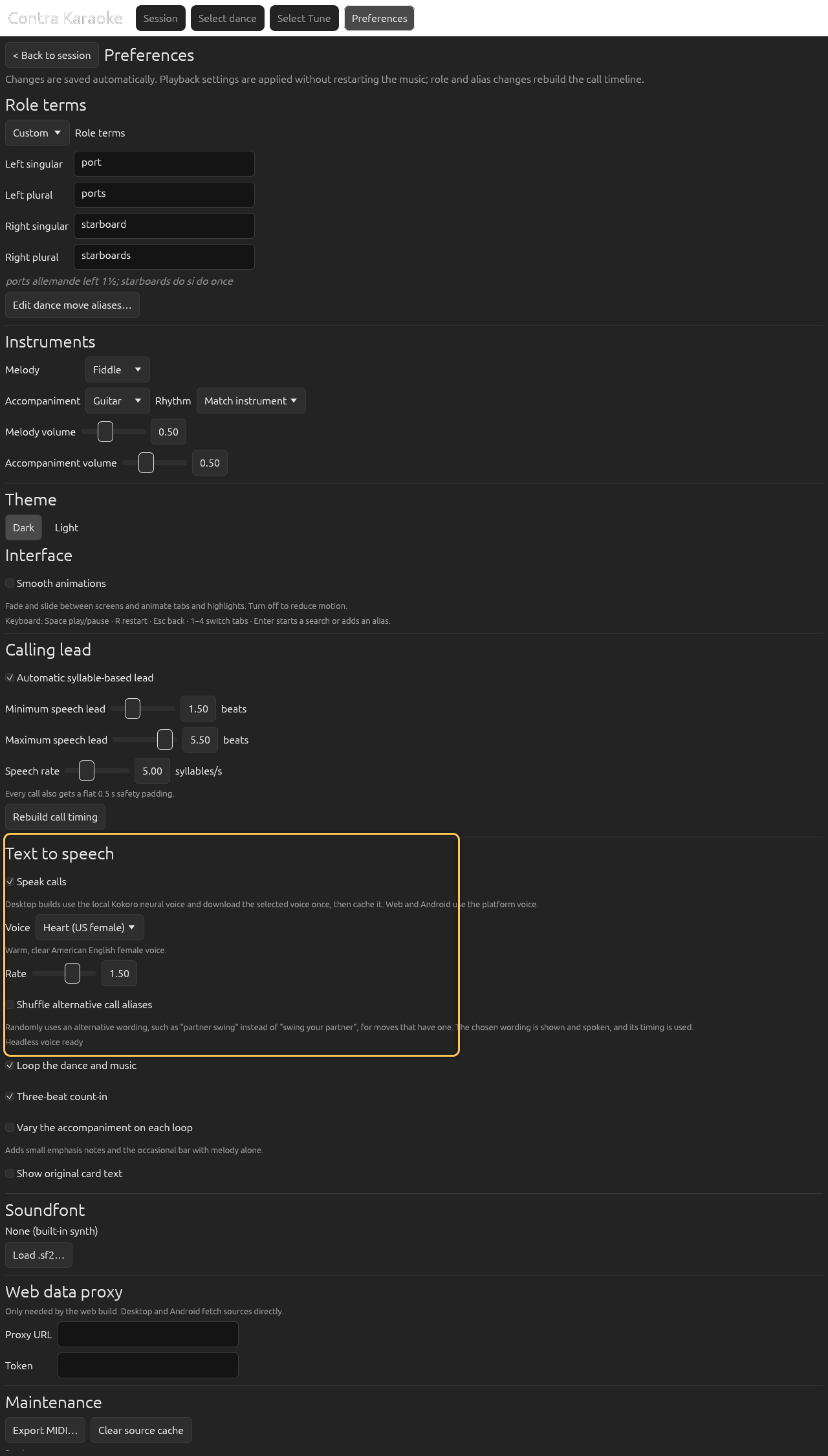
Desktop and Android use a local Kokoro voice; rate, tone, and deliveries per call change the spoken delivery without changing visual timing.
The default is Heart (US female). All six voices use the same Kokoro model and differ only in the downloaded style file. On first use, the section shows a progress bar while the voice is prepared; later runs load it from the cache. If preparation fails, the app shows Retry neural voice and continues with the platform voice.
Choose a caller tone
In Preferences → Calling, choose Tone.
Desktop and Android use a local Kokoro voice; rate, tone, and deliveries per call change the spoken delivery without changing visual timing.
Commanding caller is the default. It lowers the voice slightly and sharpens diction: the stressed vowel in each content word is held a little longer, and a presence and compression stage brings consonants forward. Natural uses the voice's recorded pitch and even emphasis. The tone changes delivery, not the words. On desktop and Android, changing the tone prepares the neural voice again.
The tone does not change the visual lead. Calls are still timed from the syllable estimate, and the clear-speech delivery stays inside the safety padding used for every call. Some platform voices ignore pitch changes; the neural voice applies the full delivery.
Vary repeated calls
In Preferences → Calling, set Deliveries per call from 1 to 4. The default is 4.
Desktop and Android use a local Kokoro voice; rate, tone, and deliveries per call change the spoken delivery without changing visual timing.
The desktop and Android neural voice prepares that many versions of every call and rotates them when the same line comes around again, so a looping dance does not replay one recording. The first delivery is the caller tone unchanged; the others move a fraction of a semitone up or down. Every delivery keeps the same duration, so the syllable-based lead still fits.
Only the first delivery of every call is part of being ready; the other three prepare quietly in the background. If a call comes up before its chosen delivery is ready, the app speaks the first delivery instead of waiting. The prepared audio is cached on disk, so later launches reuse it instead of running the model again.
Four deliveries cost preparation time and memory: roughly 8–28 MiB of RAM for the prepared calls, and 4–14 MB of disk per card, on top of the model. Set the control to 1 for a single rendering. Web uses the platform voice, which does not prepare deliveries.
The same section has Shuffle alternative call aliases, which varies the call wording when the alias table has alternatives. Its behaviour is described in Dance move aliases.
Set the rate
Adjust Rate. The range is 0.4 to 1.3; the default is 1.0.
Desktop and Android use a local Kokoro voice; rate, tone, and deliveries per call change the spoken delivery without changing visual timing.
The TTS rate does not change the visual lead. If a slower voice needs more time, raise the maximum speech lead in Timing and lead.
Pronunciation review
Kokoro reads phonemes, not letters, and its grapheme-to-phoneme model is occasionally wrong for contra vocabulary. The app corrects the terms that matter before synthesis:
| Term | Corrected pronunciation |
|---|---|
poussette | “poo-SET” |
petronella | “PET-roh-nel-uh”, with the contra stress |
promenade | “prom-uh-NADE” |
do-si-do | “doe see doe” |
gentlespoon(s) | “gentle spoon(s)” |
Rory O'More | “Rory O More”, without spelling out the apostrophe |
The platform voice receives respellings where its own dictionary needs them.
The full review, phoneme tables, and the ignored real-model smoke test live in
docs/pronunciation.md in the repository.
If no voice is available
If neither the neural voice nor a platform voice is usable, the Preferences section shows a muted
TTS unavailable:message and the session shows an explanation when Speak calls is enabled.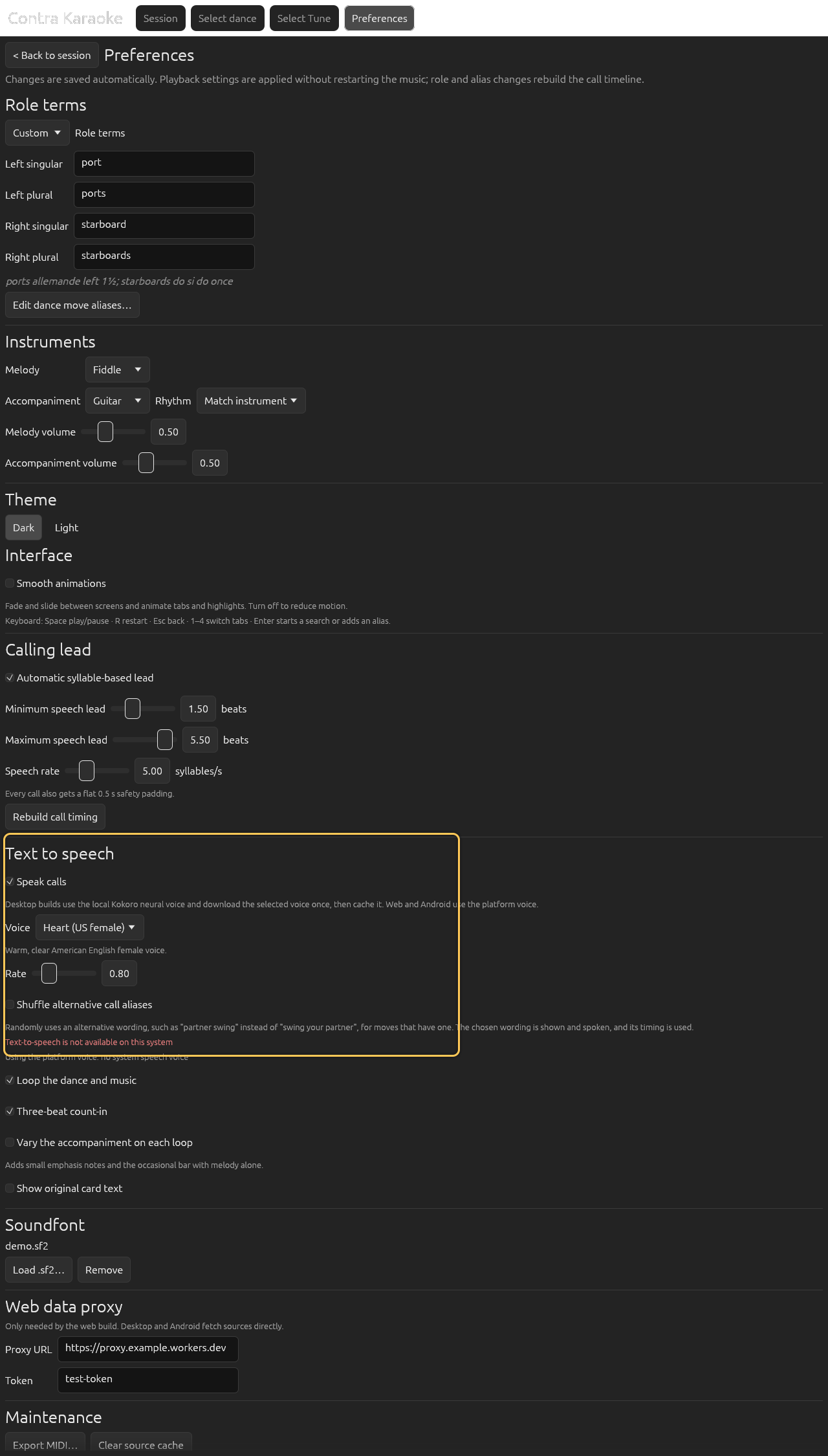
If the system has no speech voice, visual calls still work.
The app continues with visual calls. The TTS checkbox may remain visible so you can retry after installing a voice, but the toggle has no effect until a voice is available.
Pause and restart
Pause stops speech immediately. Restart clears the last-spoken call so the first call is spoken again when the new pass begins. Changing an alias or role term rebuilds the timeline and also clears the spoken state.
The first call is spoken once per run even when playback starts after its lead window: during the count-in, or at beat 0 when the count-in is off. Resuming a paused dance does not repeat it.
What is spoken
The app speaks the rendered alias, not the original card text. That means role terms, placeholders, and custom aliases are reflected in speech. If Show original card text is on, the original is only visual.
A count of one is omitted from the alias before it is spoken, so
neighbors do-si-do once is called as neighbors do-si-do. The tail and a half is pronounced as one connected phrase, “n' a half”, so once and a half
does not arrive as four separated words.
Next: Cache and offline.