Export MIDI
The desktop app can export the arranged loop as a Standard MIDI File. The export re-parses the current tune and builds the same 64-beat arrangement used for playback; you do not need to press Play first.
Availability
MIDI export is available in the Windows and Linux desktop builds. The browser and Android builds report that export is not available in this build yet.
Export
Open Preferences → Data & Storage and select Export MIDI….
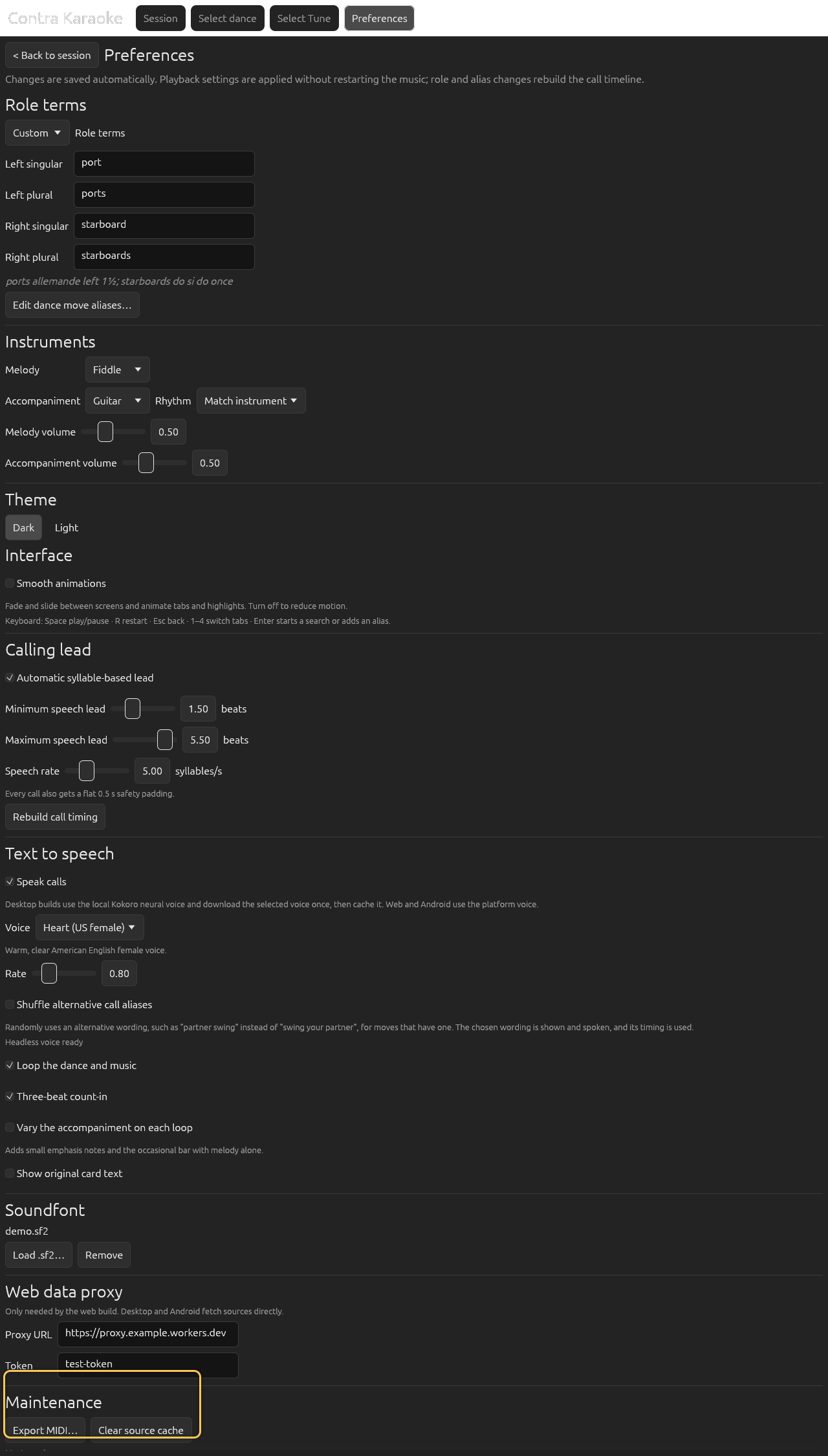
MIDI export is desktop-only in 0.1.0; clearing cache works on every platform, and Memory use lists the largest resident allocations.
Choose a location in the native save dialog. The default file name is based on the tune title with unsafe characters replaced.
The export contains:
- one track per player in the band list, each on its own General MIDI channel with that row's program, level, and pan. A second piano or a clarinet countermelody is an explicit track, not a copy count;
- General MIDI has fifteen non-drum channels, so a band with more than fifteen pitched players exports its first fifteen players; the others still play in the app but are omitted from the file;
- the percussion rows merged onto the single General MIDI drum channel;
- the selected accompaniment rhythm;
- General MIDI reverb, chorus, and echo sends at the start of every channel track (see Effects);
- the arranged 64-beat loop. When Vary the music on each loop is enabled, the file contains the same four variation passes as playback, so the melody and accompaniment change from pass to pass instead of repeating identically. The variation switches are applied as well, so turning off, say, chord stabs removes them from both playback and the file.
The melody is lifted above the accompaniment and accented on the dance pulse. Later passes add deterministic melody ornaments, chord-tone harmony doubles, and an occasional octave lift. Existing note timing is unchanged, so the 64-beat grid still lines up with the dance. Players in a section are written on the same beats as their row — the millisecond spread the app uses for playback is a performance effect, not a change to the music — so the file stays grid-exact. The optional Humanize timing playback setting is likewise not written to the file: exported MIDI always describes the un-deviated beat grid.
The MIDI does not include the four-beat count-in, the pickup notes, or the live slow ending. It is the arranged loop, not the full playback buffer. Because the export re-parses the tune's stored ABC, edits made in the preview field are ignored.
Effects
A Standard MIDI File contains performance instructions, not rendered audio, so the effect is written as the General MIDI sends that a player applies while it renders the file. Set it in Preferences → Band & Sound:
- Reverb defaults to Medium room. The file carries a reverb send on controller 91 and, when reverb is on, a GM2 reverb-type message so a GM2 player uses the requested room. Choose Off, Small room, Medium room, Large room, or Hall.
- Echo defaults to Subtle. Off is dry and Strong is a longer echo; both use the GM2 delay send on controller 94. Players that only implement General MIDI level 1 may ignore it, because controller 94 has no standard delay meaning there.
- Chorus defaults to Off. Subtle and Rich use controller 93.
The same settings are applied to playback in the app, after every virtual instrument and the percussion layer are mixed. Because the effect sends are part of the MIDI file, the exact sound of the export also depends on the player's own effects; a DAW can replace them with its own reverb or delay.
File format and editing
The file is a .mid Standard MIDI File. You can open it in a DAW or notation
program to inspect or edit the arrangement, but edits made outside the app do
not affect the app's playback.
Native dialog
The save dialog is provided by the operating system and is not part of the Docusaurus screenshots. The screenshot shows the Data & Storage section where the export starts.
Next: How calls are timed.